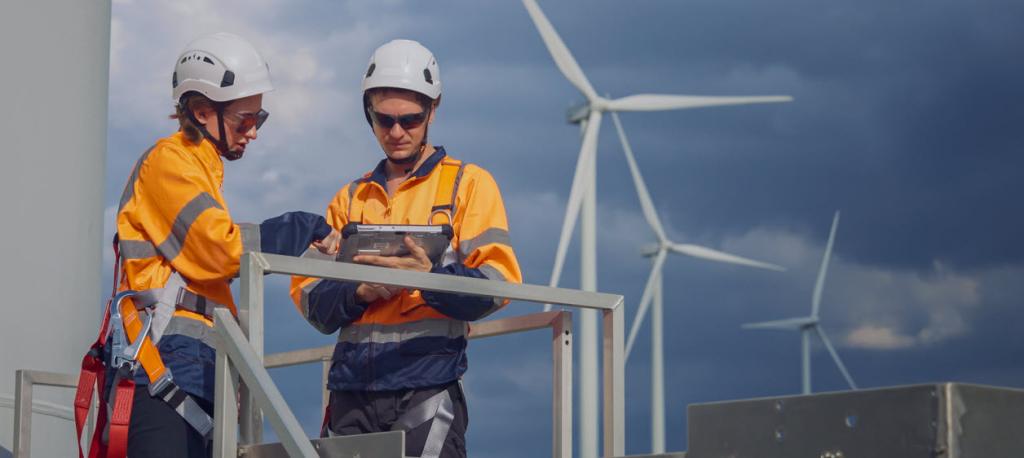
How to Automate Incident Reporting and Response in Energy Operations
Nawfe use cases

How to Automate Incident Reporting and Response in Energy Operations
In the energy industry, incidents aren’t just inconvenient.
They’re expensive.
They’re dangerous.
And if handled poorly, they can become catastrophic.
The problem?
Most incident reporting and response processes are:
slow
inconsistent
poorly documented
and heavily reliant on manual communication
The result?
delayed response times
incomplete incident records
compliance risks
repeated failures from lack of insight
Here’s the reality:
It’s not the incident itself that creates the biggest risk.
It’s how your team responds to it.
This guide will show you:
how to build a structured incident reporting process
how to ensure fast, consistent response across teams
and how to automate the entire workflow using Nawfe
🧠 What Is Incident Reporting in Energy Operations?
Incident reporting is the process of documenting and responding to unexpected events such as:
equipment failures
safety incidents
environmental issues
power outages
operational disruptions
A complete incident process includes:
Detection and reporting
Initial assessment
Escalation and response
Resolution
Documentation and audit
🚨 Why Incident Response Processes Fail
Even well-run energy companies struggle here.
Common issues:
incidents reported via phone, text, or email
no standardized intake process
delays in escalation
unclear ownership
missing documentation
no consistent follow-up
The root cause:
There is no enforced workflow.
🛠 Step-by-Step: How to Build a Bulletproof Incident Workflow
Step 1: Standardize Incident Reporting Intake
Every incident must start with structured data.
Required fields:
site/location
date and time
type of incident
severity level
description
photos or attachments
reporting individual
Why this matters:
eliminates ambiguity
ensures consistent documentation
enables faster response
Action Item
Create a standardized incident report form.
Step 2: Define Severity Levels and Response Paths
Not all incidents are equal.
Example severity levels:
Low: minor issue, no safety risk
Medium: operational impact
High: safety or environmental risk
Critical: immediate escalation required
Each level should trigger:
different response times
different stakeholders
different workflows
Action Item
Define severity tiers and required actions for each.
Step 3: Assign Ownership Immediately
Every incident needs a clear owner.
Typical roles:
Field Technician (initial report)
Site Manager (assessment)
Operations Lead (response coordination)
Safety/Compliance (review)
Rule:
Ownership must be assigned instantly.
Action Item
Define default owners for each stage of the workflow.
Step 4: Enforce Immediate Escalation
Time is critical.
For high-severity incidents:
notify stakeholders instantly
trigger escalation workflows
require acknowledgment
Common failure:
delays caused by missed messages or unclear responsibility
Action Item
Define escalation triggers and response SLAs.
Step 5: Track Response Actions in Real Time
Every action taken should be documented.
Examples:
technician dispatched
equipment shut down
safety measures implemented
issue isolated
Why it matters:
improves coordination
creates accountability
provides full visibility
Action Item
Ensure every step in the response is logged.
Step 6: Document Resolution and Root Cause
Fixing the issue is only part of the process.
You must also capture:
root cause analysis
corrective actions
preventative measures
Without this:
the same incidents repeat
systemic issues go unresolved
Action Item
Require root cause documentation before closing incidents.
Step 7: Maintain a Full Audit Trail
This is critical for:
compliance (OSHA, NERC, EPA, etc.)
internal audits
legal protection
You need to track:
who reported the incident
when it was reported
who responded
what actions were taken
when it was resolved
🚀 Step 8: Automate the Entire Workflow
Manual processes cannot keep up with real-world incidents.
They rely on:
phone calls
emails
spreadsheets
memory
Workflow automation fixes this.
How Nawfe Transforms Incident Reporting and Response
Nawfe turns incident management into a structured, real-time workflow system.
🔹 1. Instant Incident Reporting
structured form submission
required fields enforced
mobile-friendly for field teams
🔹 2. Automatic Severity-Based Routing
incidents routed based on severity
no manual triage required
🔹 3. Immediate Ownership Assignment
responsible parties assigned instantly
no confusion or delays
🔹 4. Real-Time Notifications and Escalation
alerts sent immediately
escalation triggered automatically
overdue tasks flagged
🔹 5. Guided Response Workflow
step-by-step actions defined
teams know exactly what to do
🔹 6. Full Audit Trail
Every incident includes:
timestamps
actions taken
approvals
documentation
🔹 7. Centralized Visibility
Leadership can instantly see:
active incidents
response status
bottlenecks
trends over time
📊 Before vs After Automation
Without Nawfe
delayed reporting
inconsistent response
missing documentation
unclear ownership
reactive operations
With Nawfe
immediate reporting
structured response
complete documentation
clear accountability
proactive risk management
🧱 Real-World Example
Before
technician calls supervisor
supervisor texts operations
response is delayed
documentation is incomplete
After
incident submitted via mobile form
severity auto-detected
workflow triggered instantly
team notified immediately
actions tracked in real time
📋 Incident Workflow Checklist
Standardized intake form
Severity levels defined
Ownership assigned automatically
Escalation rules in place
Response steps tracked
Root cause analysis required
Full audit trail maintained
Workflow automated
💡 The Key Insight
Incident management isn’t just about reacting.
It’s about responding quickly, consistently, and correctly every time.
If your process is:
manual
inconsistent
or unclear
You’re increasing risk every time an incident occurs.
🔚 Final Thought
In energy operations, speed and accuracy matter.
Your incident response process needs to be:
structured
enforced
and fully visible
When you automate incident workflows with Nawfe…
You don’t just respond faster.
You reduce risk, improve safety, and build a system that learns from every incident.
And that’s how you turn incidents from liabilities…
into opportunities for operational improvement.